ubuntu kickstart / preseed builder
Kickstart and Preseed are tools for automatically installing Linux distributions such as Ubuntu. Installing new copies of Linux can be time-consuming, especially if you must do so from a ISO image. These tools automate the install process.
From the Ubuntu documentation:
Many system administrators would prefer to use an automated installation method to install Ubuntu on their machines. The preseeding feature of debian-installer answers this need.
Using Kickstart, a system administrator can create a single file containing the answers to all the questions that would normally be asked during a typical Ubuntu installation.
After creating a few ISO images with embedded Kickstart/Preseed configurations, I decided I needed faster iteration, and so I created a tool for generating Ubuntu Linux .iso files with embedded automated installers: Ubuntu Kickstart Builder.
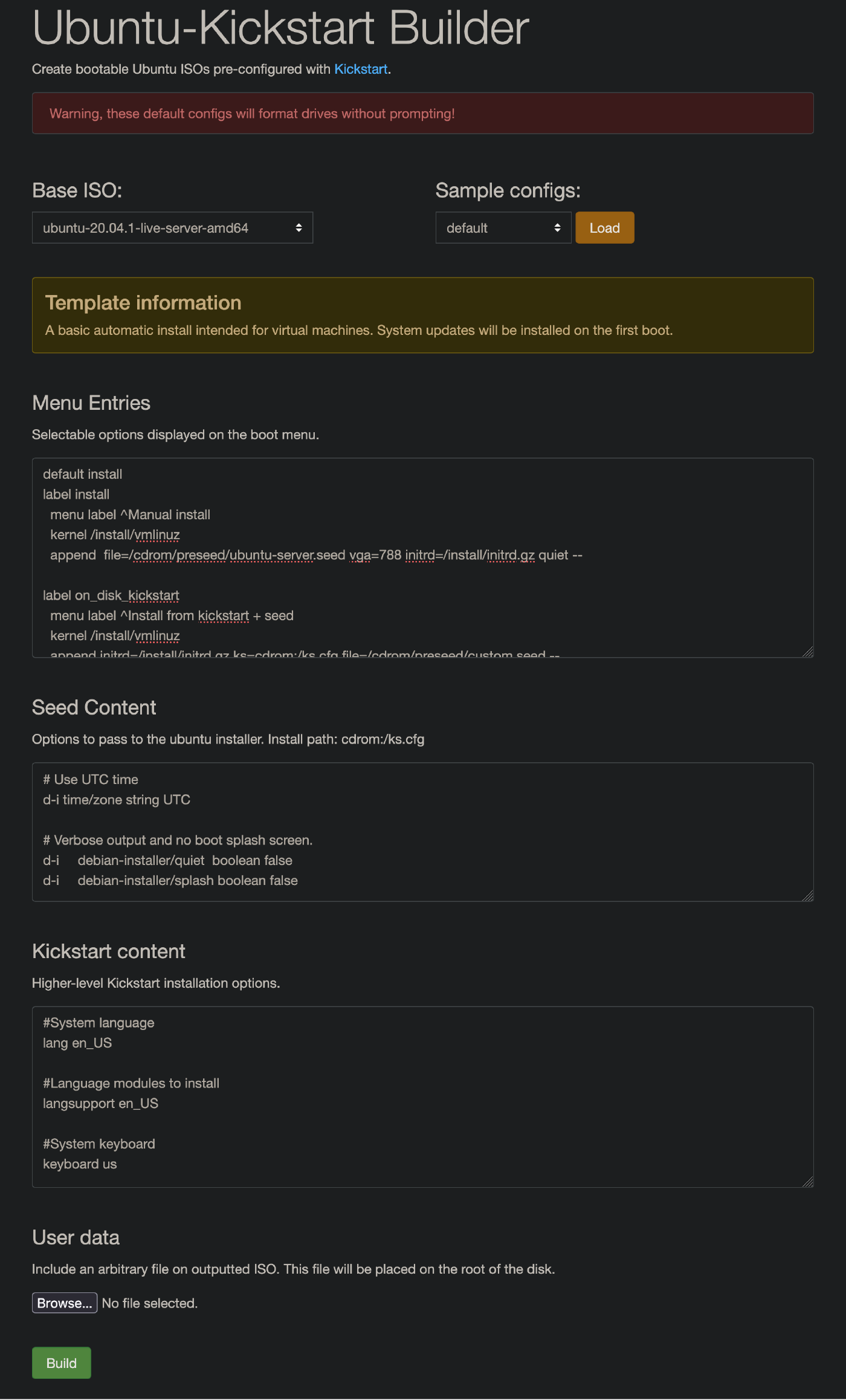
The tool works in a fairly straightforward way:
- Unpack Ubuntu ISO images in the tool’s data directory.
- Open the web UI and edit the Kickstart and Preseed configuration files.
- Optionally, upload additional files to be included in the ISO image.
- Click Build, and your customized CD image will be downloaded.
The ISO image can then be written to physical media or booted in a VM.
While Kickstart and Preseed configurations can also be served over the network, embedding them directly in an installation image has some advantages. A self-contained ISO is easy to distribute, works in environments without network infrastructure, and guarantees that the installer always uses the intended configuration. This can be especially convenient for testing in virtual machines, provisioning isolated lab machines, or sharing reproducible install media.